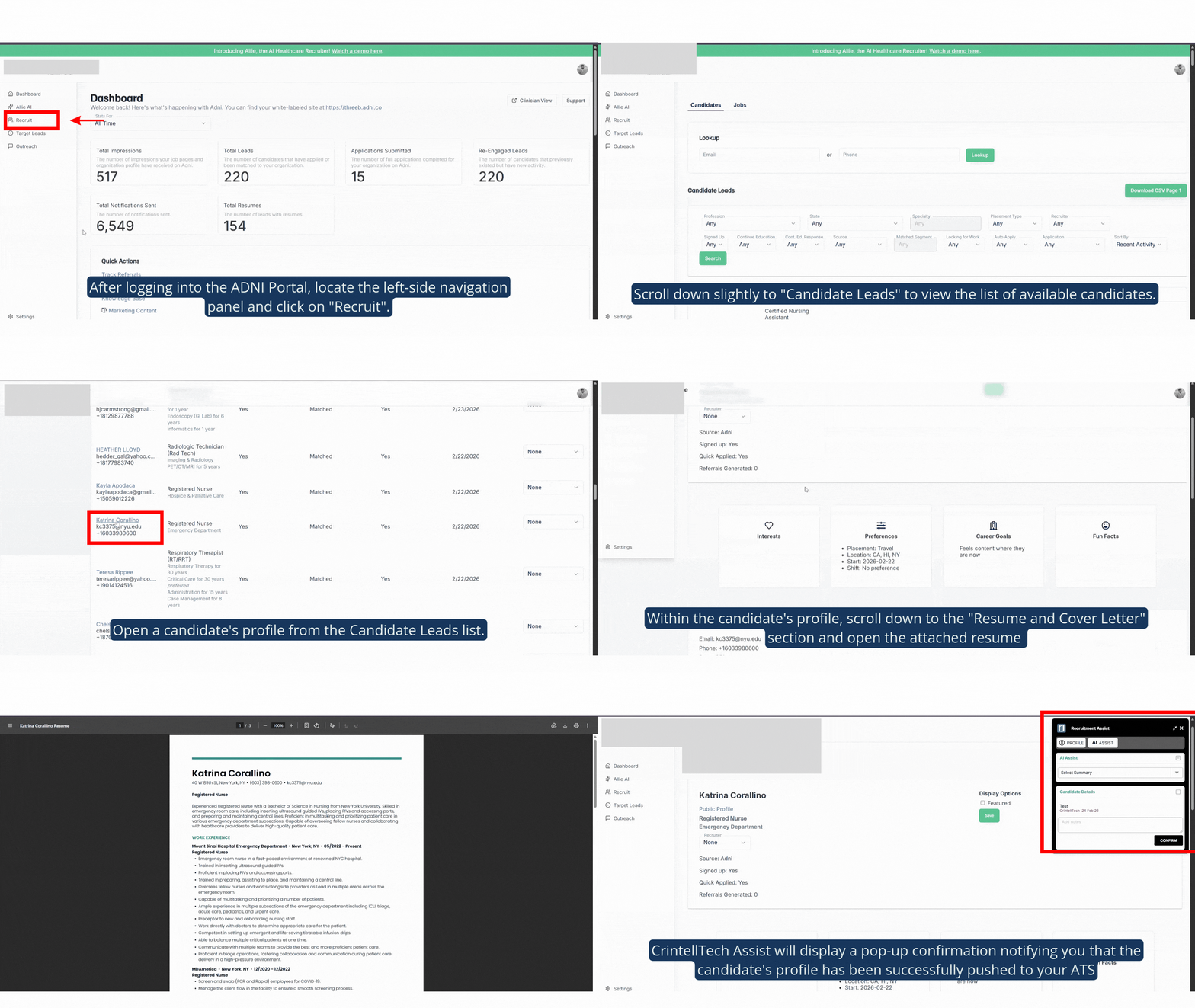

CrintellTech Assist helps recruiters find and manage candidates through the ADNI Portal more easily. Below are the steps to use it.
Step 1: After logging into the ADNI Portal, locate the left-side navigation panel and click on "Recruit".
Step 2: Scroll down slightly to "Candidate Leads" to view the list of available candidates.
Step 3: Open a candidate's profile from the Candidate Leads list.
Step 4: Within the candidate's profile, scroll down to the "Resume and Cover Letter" section and open the attached resume [will open in new tab]
Step 5: Navigate back to the candidate's profile page.
Upon returning to the profile, CrintellTech Assist will display a pop-up confirmation notifying you that the candidate's profile has been successfully pushed to your ATS.